
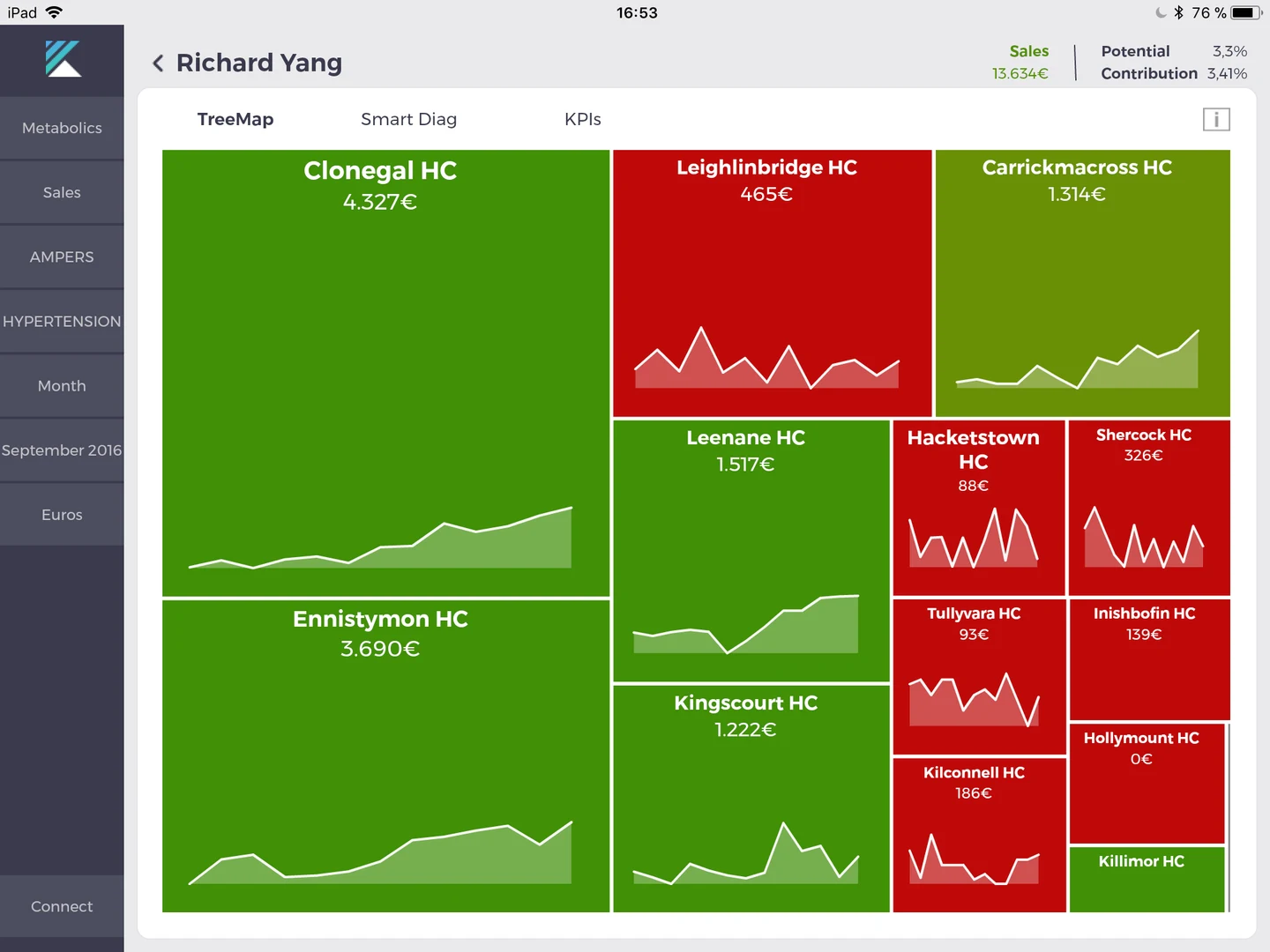
See where effort matters
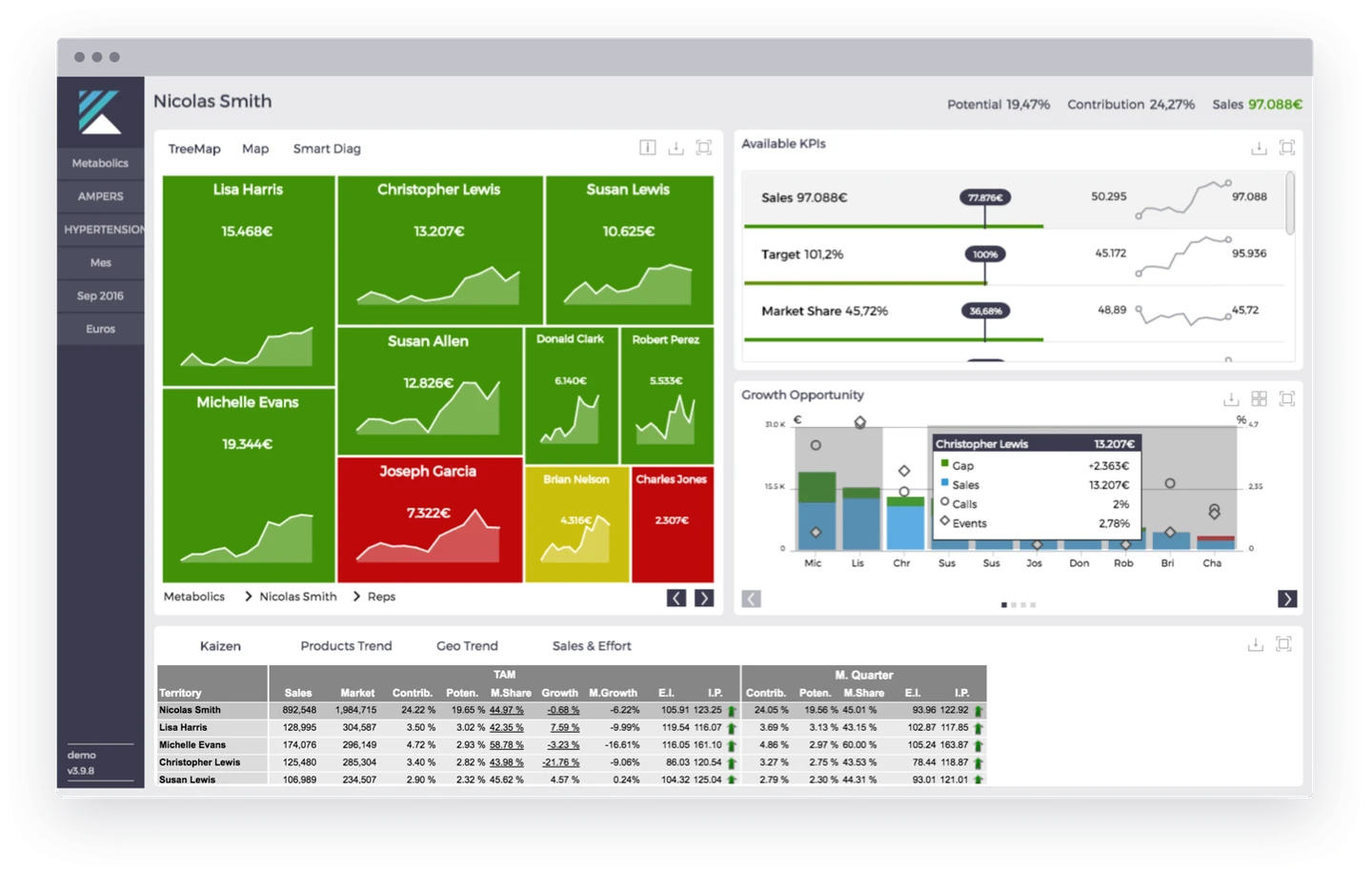
Use area to compare market potential and color to see sales performance across accounts.
PLATFORM & MANAGED SERVICE
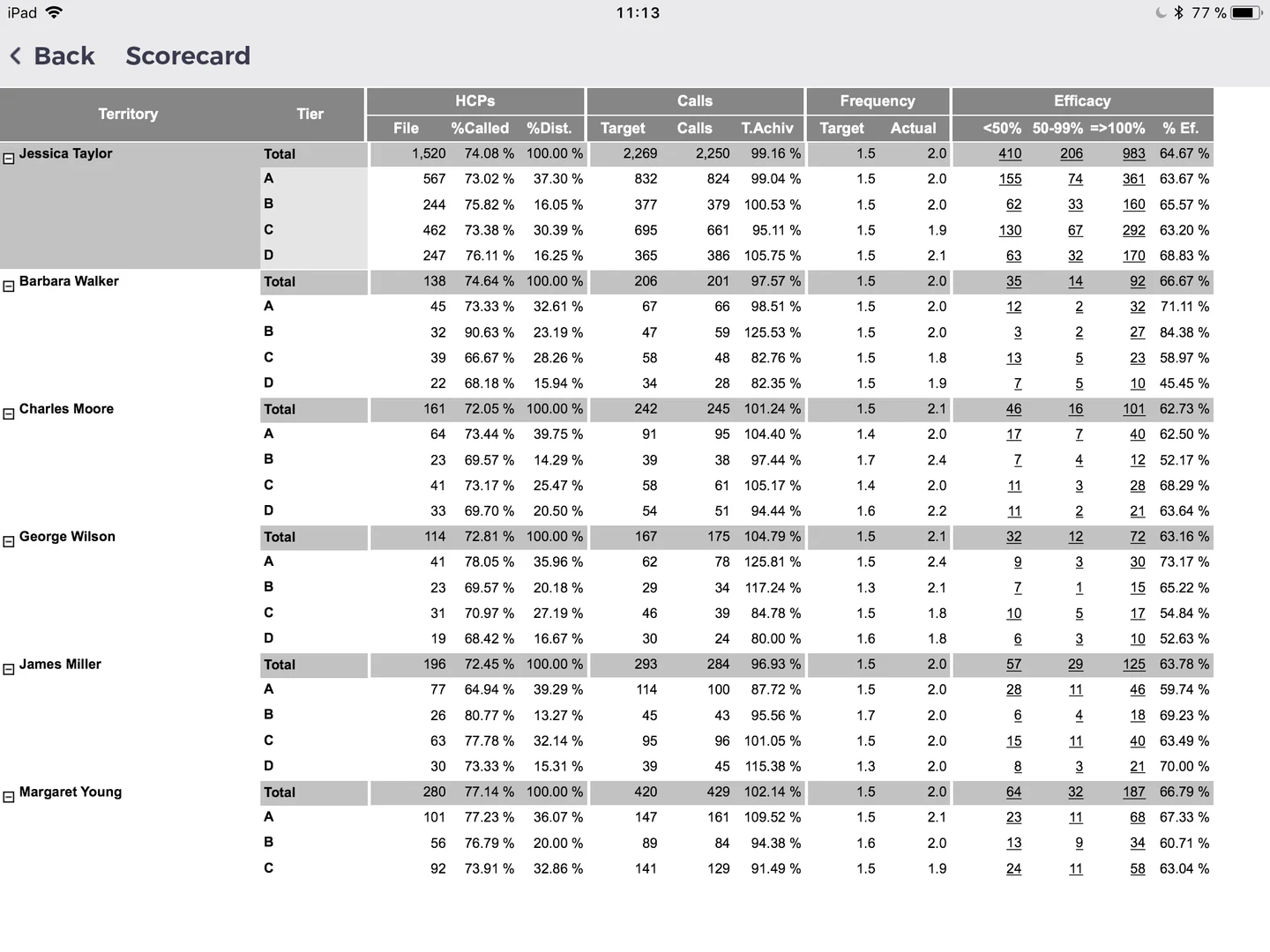
Relate CRM calls, events and rep-triggered emails (RTEs) to sales and market potential. Kaizen manages the data work so your teams can focus on commercial decisions.
CONNECTED COMMERCIAL DATA
Break down information silos between CRM activity and sales. Connect calls, events and RTEs with sales and market potential, giving your teams a shared view of accounts and territories.
We agree the data sources and integration scope with your team.
MANAGED BY OUR TEAM
Delegate data preparation to Kaizen and give your team more time for analysis and commercial planning.
CRM, sales and market data from the sources agreed with you.
Our team loads the data and connects it for your analytical workflows.
Quality controls are part of the managed data service.
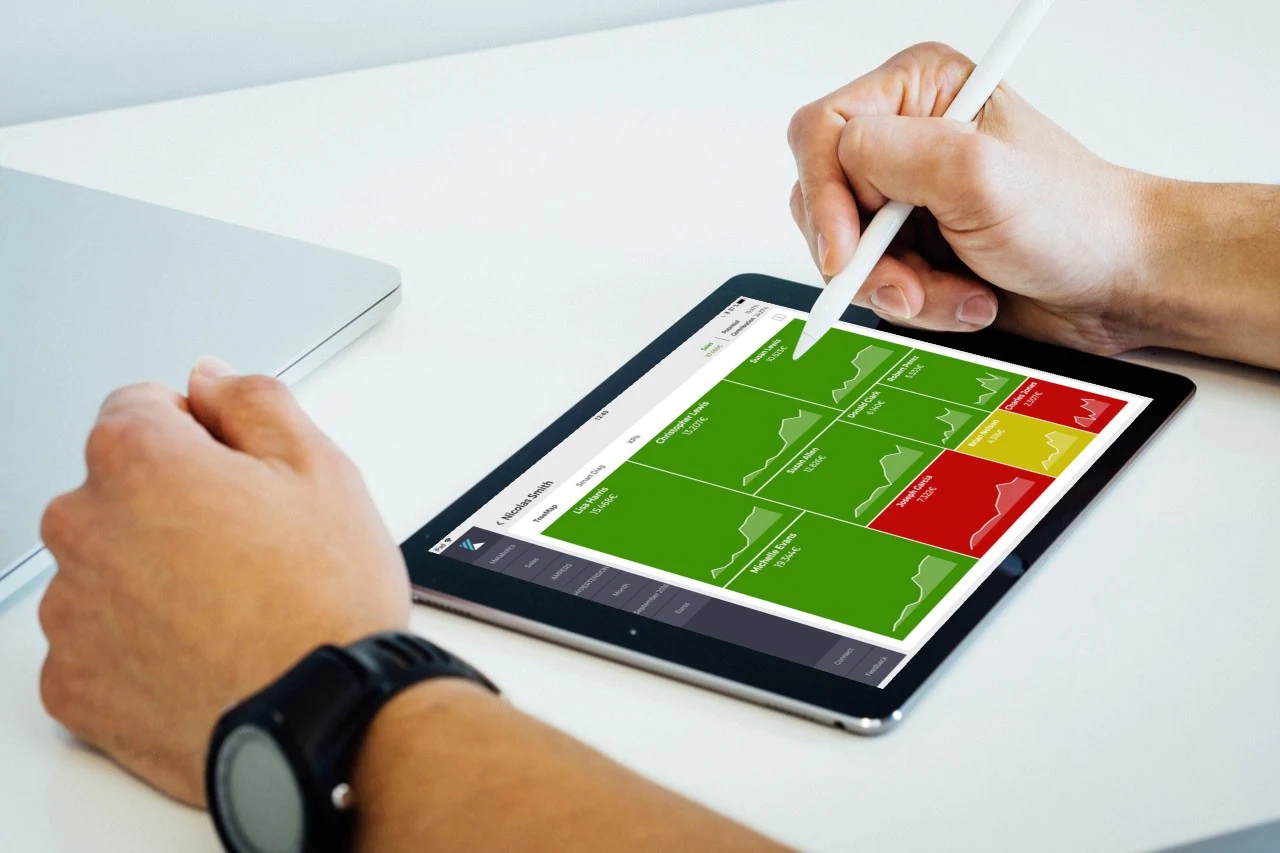
Explore performance on the web and take your insights into the field on iPad.
AUTOMATED BUSINESS DIAGNOSTICS
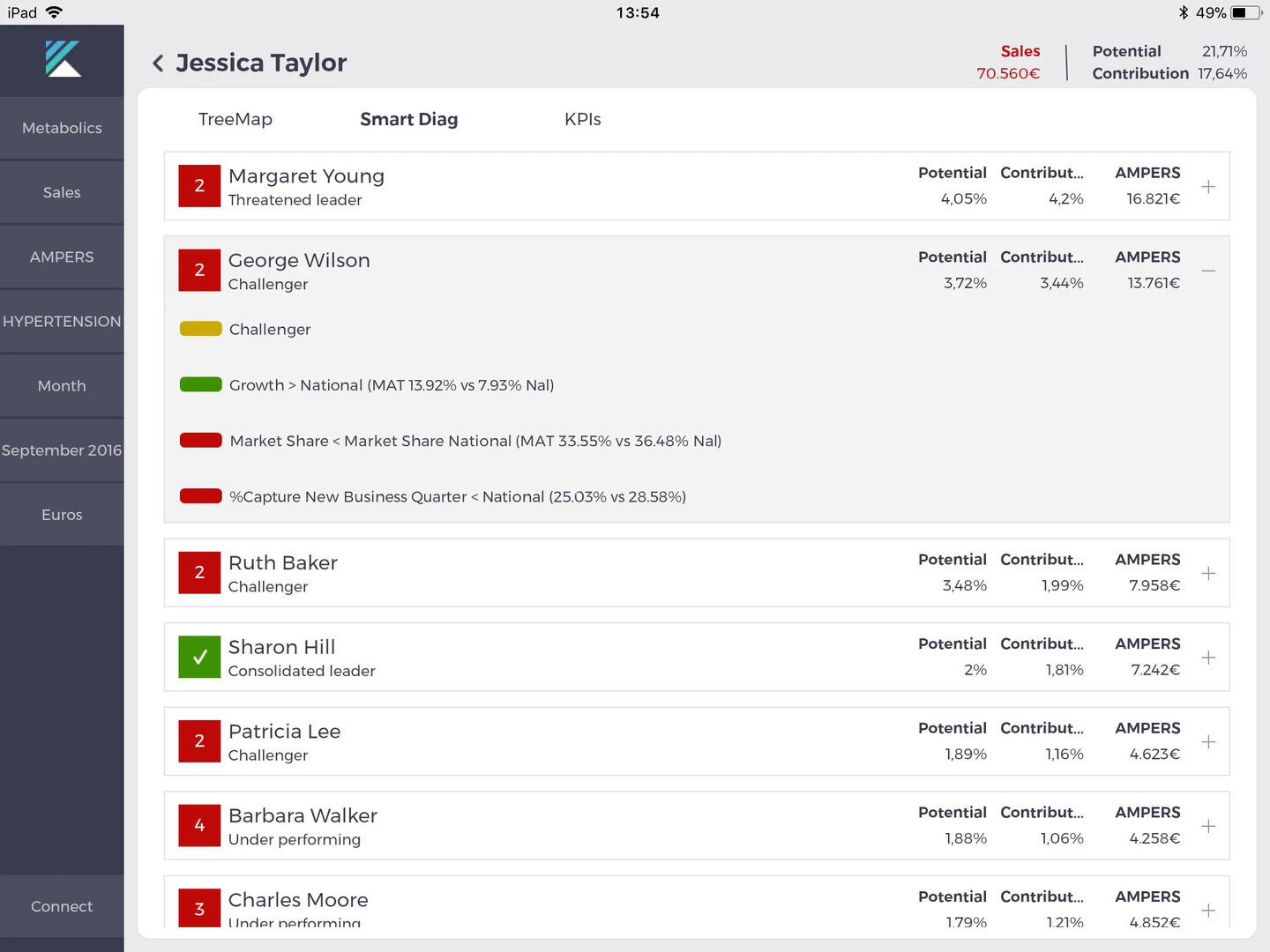
Review opportunities, risks and warnings by account and territory, with market potential as context. Compare promotional activity with sales performance to understand the gaps between effort and opportunity.
Illustrative product screens. Explore patterns to guide investigation and planning.
THE FIELD TEAM IN YOUR HANDS
Designed for the way field teams work.
Review the information you need before a call at a hospital or between appointments.
Keep preparing when mobile coverage or Wi-Fi is unreliable.
SOLUTIONS FOR YOUR COMMERCIAL PRIORITIES
Explore the workflows that support your field teams, analysts and commercial leaders.
Make every commercial action count
02Help your teams act with confidence
03See access barriers sooner
04Connect medical plans and execution
05Design territories that work
06Recognize the performance that matters
07Plan with a clearer view ahead
01 / Prescriptive analytics
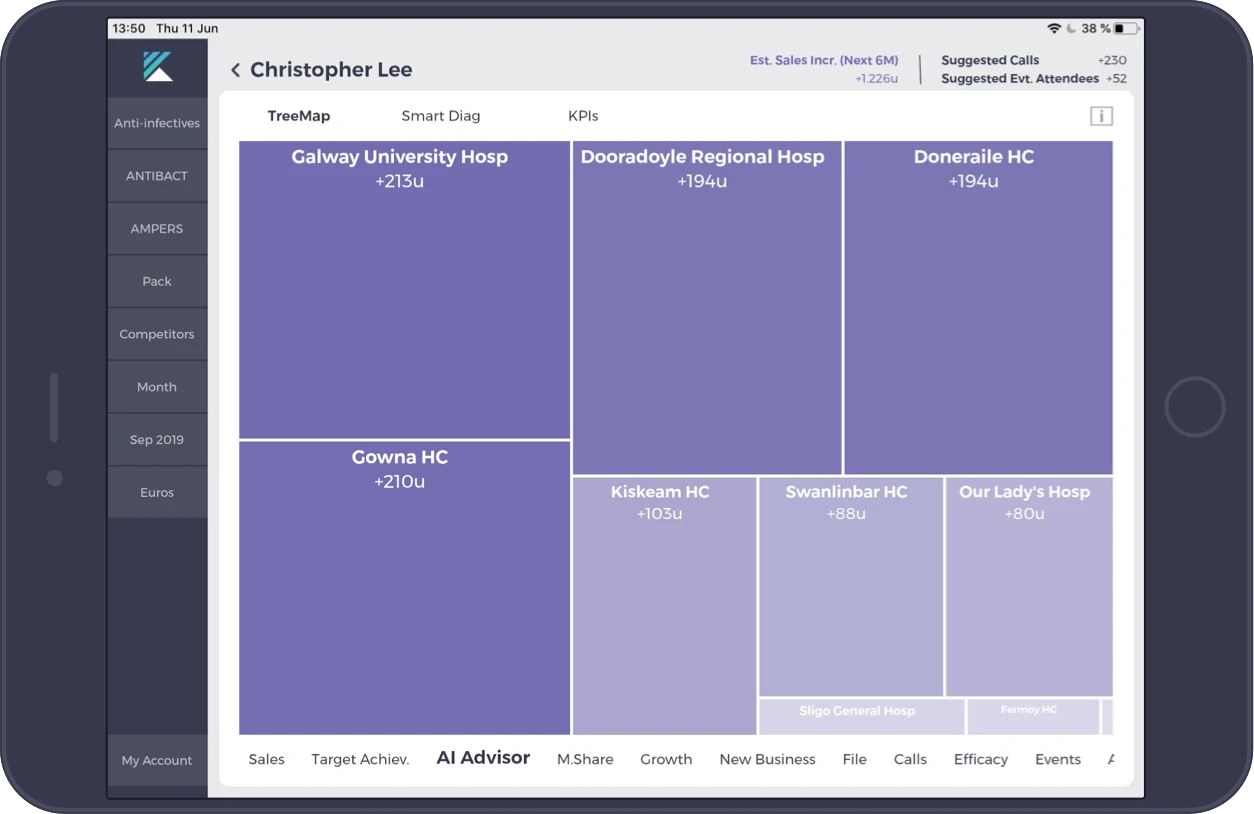
Use AI to understand commercial activity patterns and focus your resources where they can make the greatest difference.
Connect commercial activity with sales results to identify patterns across your territories.
Compare opportunities and prioritize activities based on the potential of each territory.
Give commercial teams a practical starting point for deciding where to focus next.
02 / Field force insights
Connect CRM calls, events and rep-triggered emails (RTEs) with sales and market data to identify growth opportunities and accounts that need attention.
See where performance, market share and potential point to the next opportunity.
Use automated account and territory diagnostics to review performance warnings and investigate where results fall short of market potential.
Support preparation before a call and regular territory reviews with a shared view of the data.
SEE IT IN THE WORKFLOW
Use area to compare market potential and color to see sales performance across accounts.
Review sales, target, market share and growth indicators in one account view before a conversation.
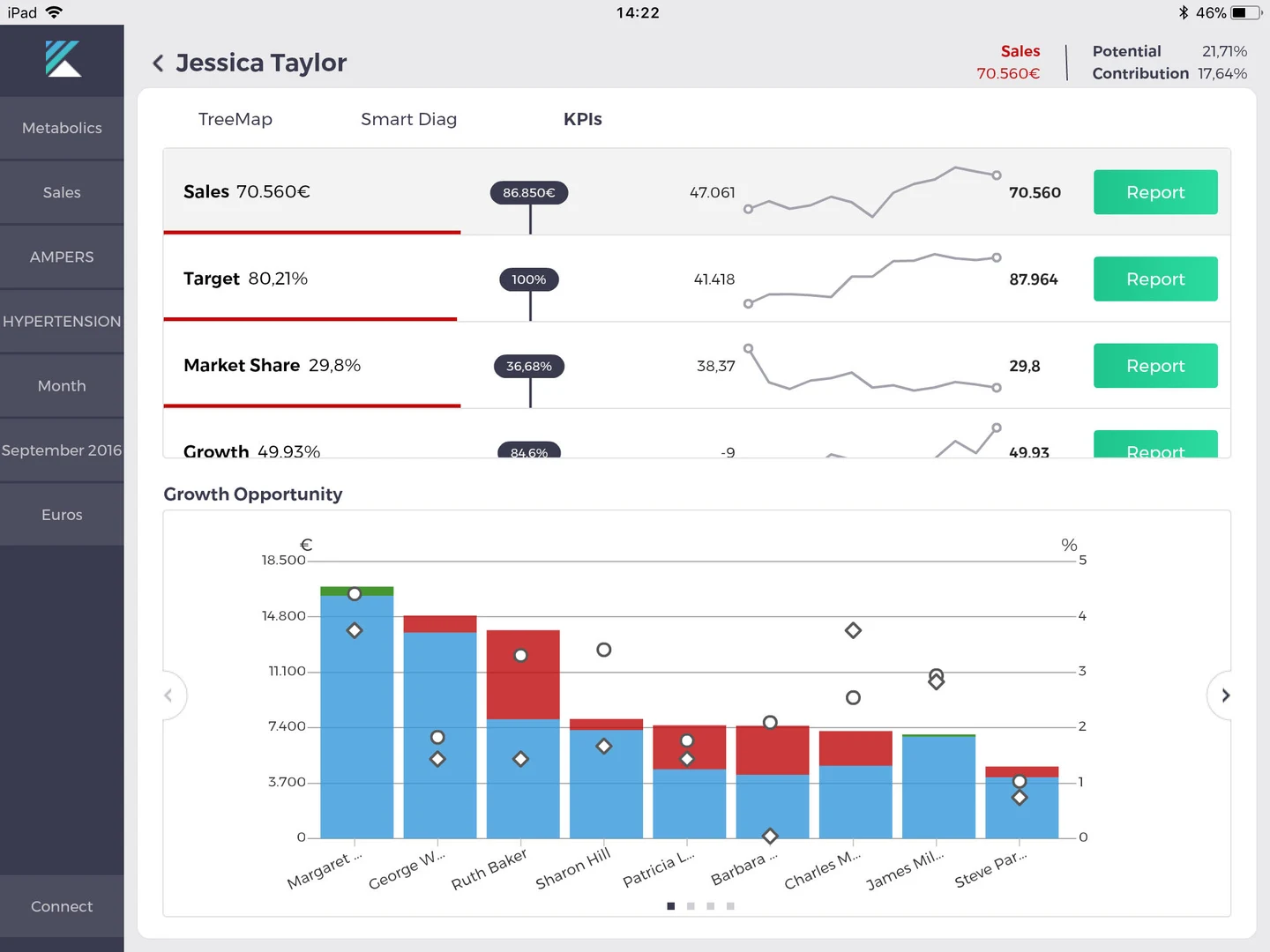
Bring calls and events into the same view as sales and market opportunity to find where coverage and potential do not align.
03 / Market access tracking
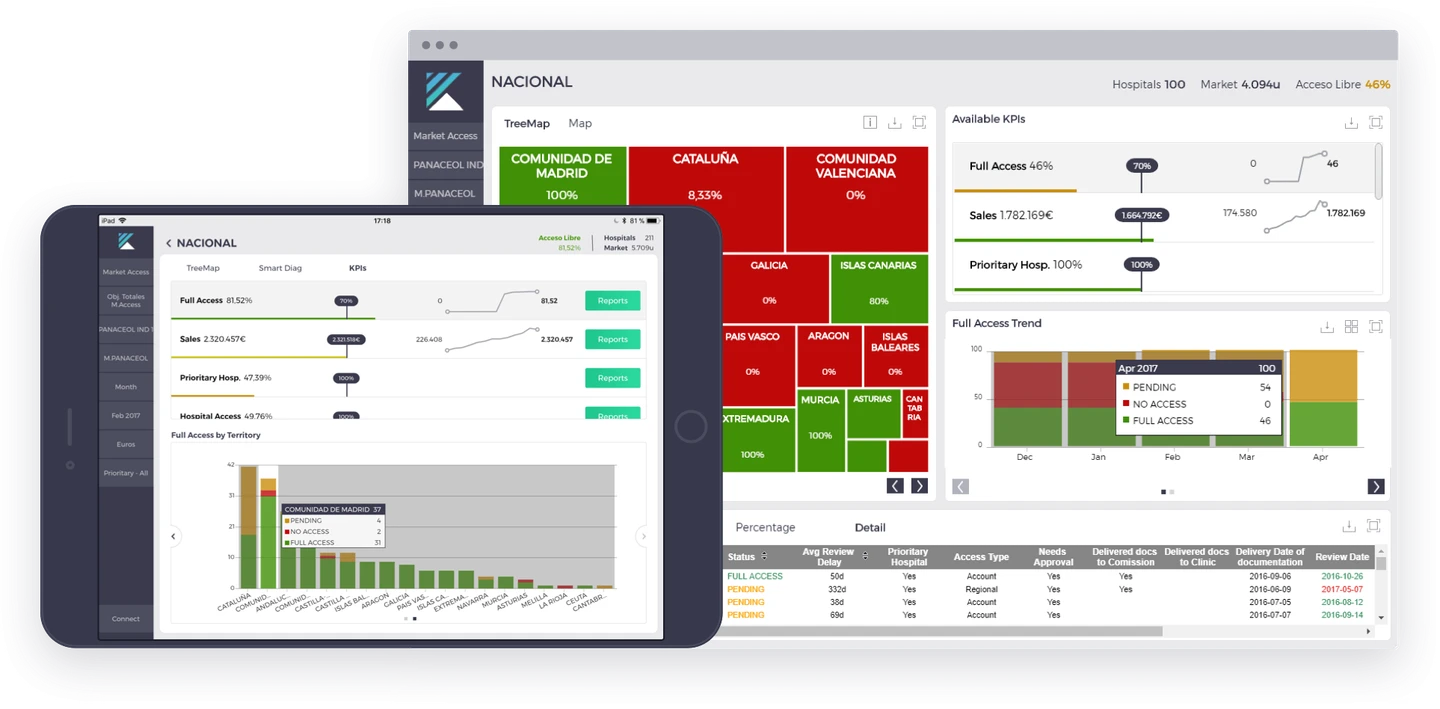
Track the access status of your products across target accounts and follow the execution of your market access plan.
Keep product access status and account information together in one place.
Understand how access is changing across your target accounts and territories.
Give the team a common view of priorities and the accounts that need follow-up.
04 / Medical affairs
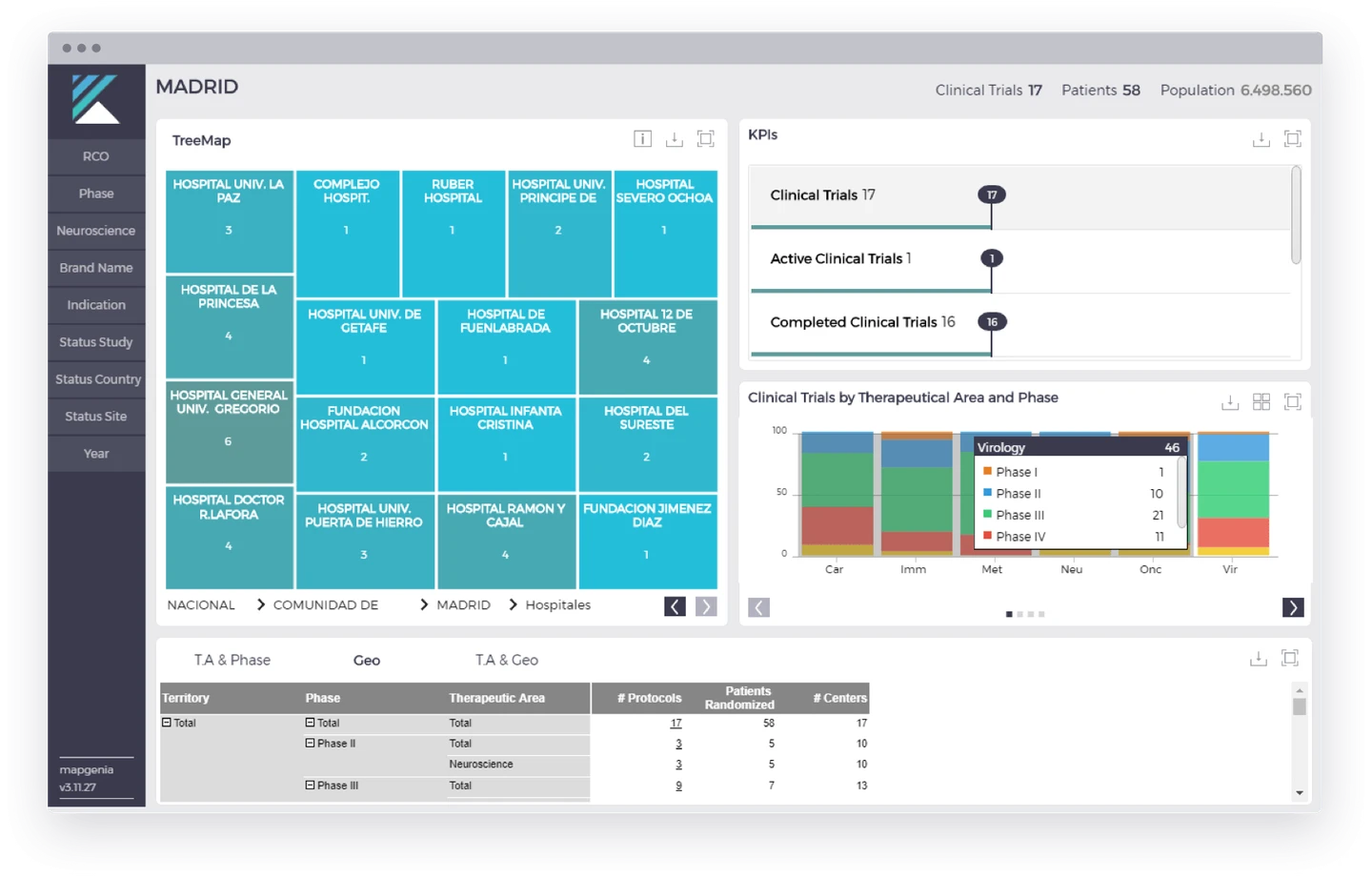
Follow the execution of your Share-of-Science plan with a clear view of your clinical program and medical activities.
Review medical activity and clinical program information in a consistent workspace.
Follow progress against your Share-of-Science plan and identify areas that need attention.
Use a shared view of the program to coordinate discussion and next steps.
05 / Territory alignment
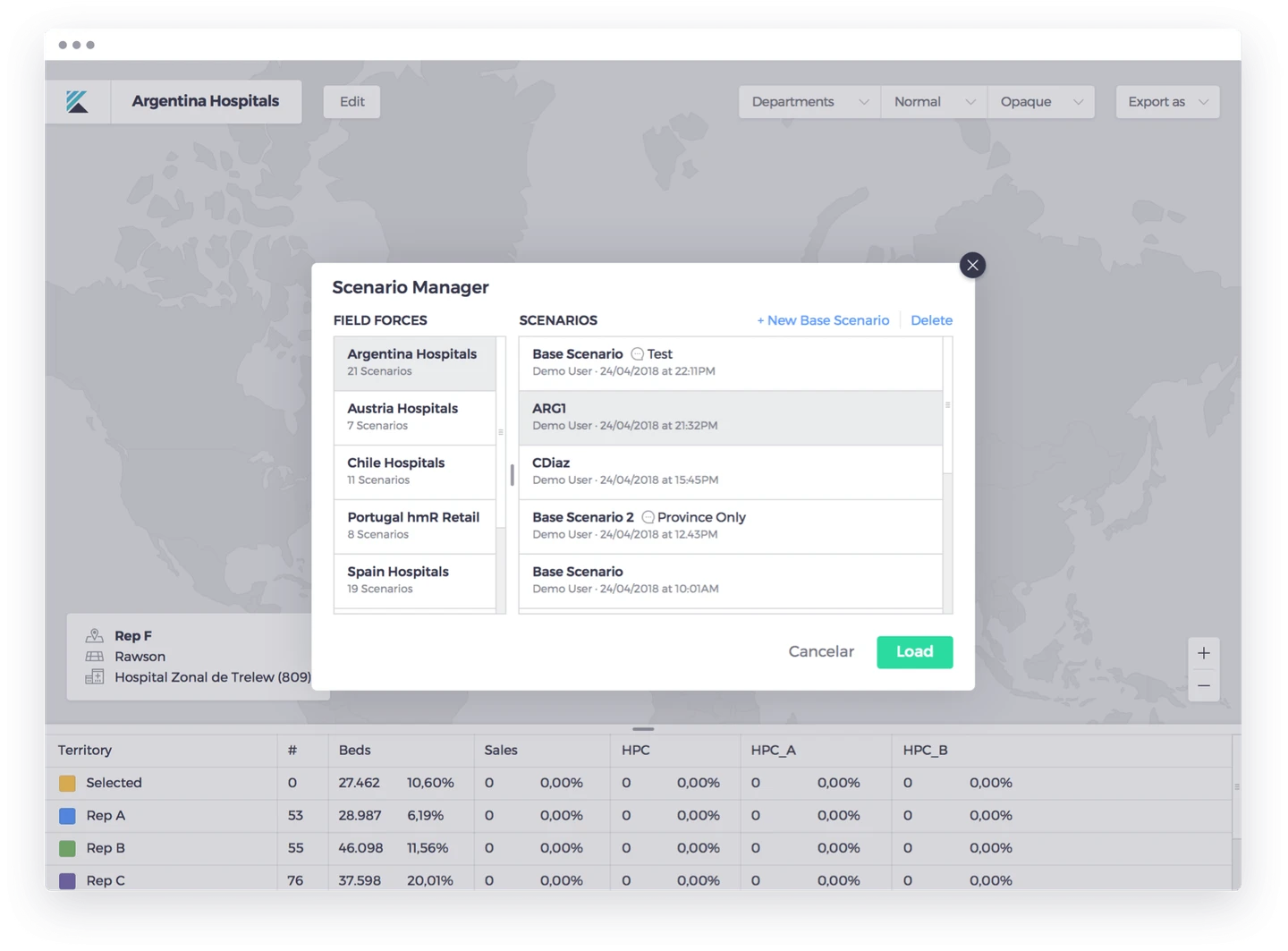
Create what-if scenarios, visualize geographic changes and make informed decisions about the distribution of your field teams.
Compare possible territory structures before choosing the right distribution for your teams.
Visualize territory changes and assess geographic coherence as you work.
Use a clear geographic view to help area managers review and agree on territory changes.
SEE IT IN THE WORKFLOW
Create what-if structures and review possible changes before choosing a distribution for the field force.
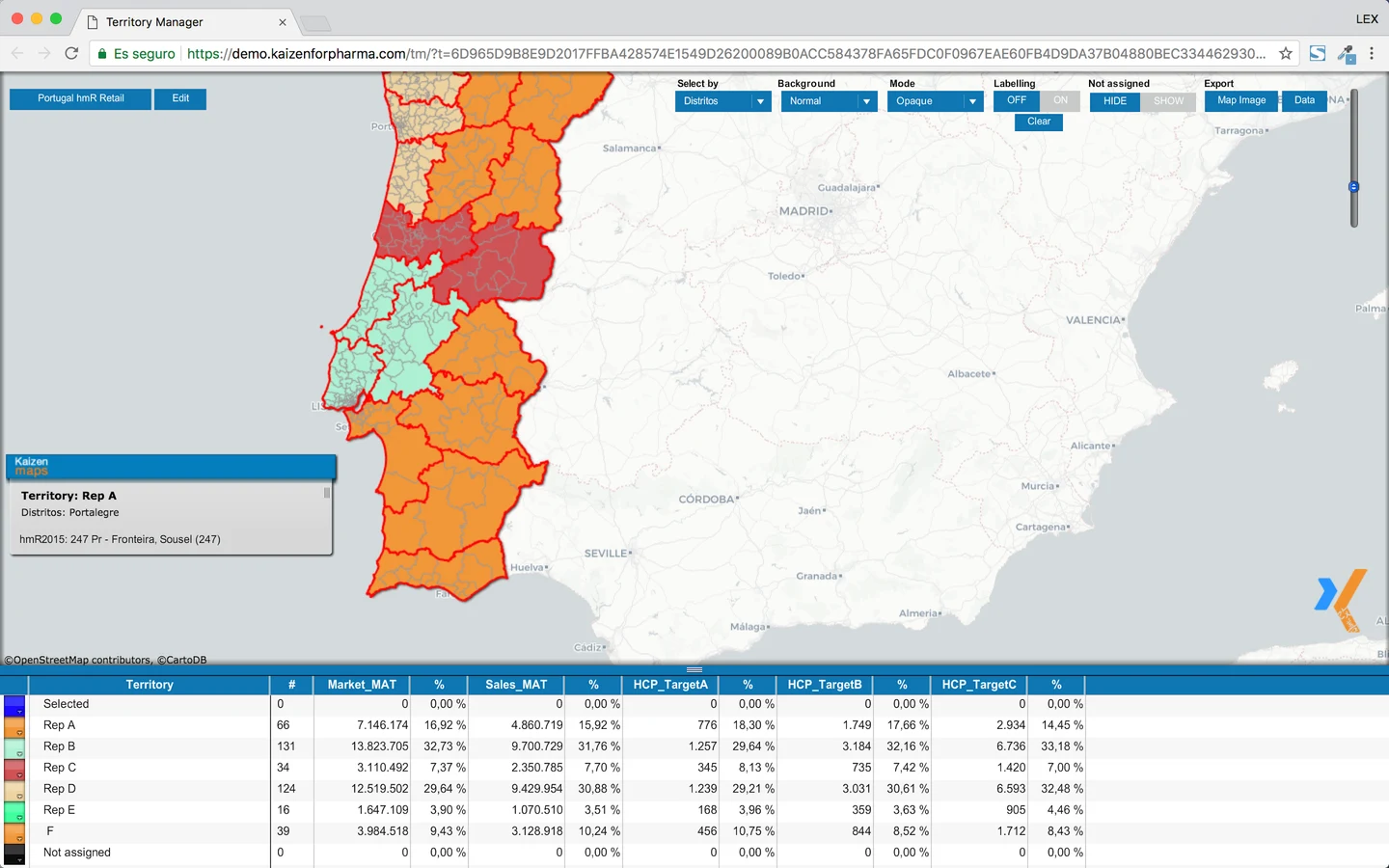
Assess market, sales, potential, HCP tiers and workload together when you compare a territory plan.
Use geographic context and an optimizer workflow to make the next territory decision easier.
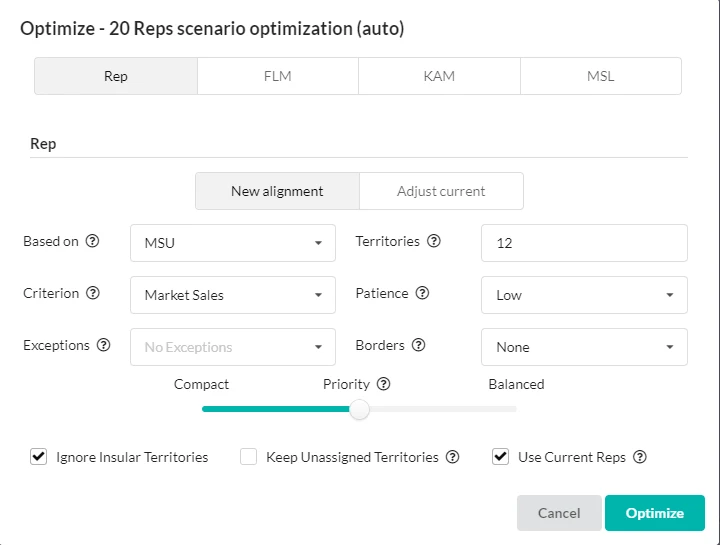
Territory alignment is shown as a desktop planning workflow; it is separate from offline iPad use.
06 / Incentives
Build an incentives model around your organization’s needs and give sales teams a clear connection between their goals and rewards.
Structure incentives around the objectives and needs of your organization.
Bring performance information into a consistent process for managing incentives.
Help sales teams understand how their results connect to recognition and reward.

07 / Forecasting & target setting
Establish national and individual sales targets using forecasts and actionable plans.
Use your sales outlook as the basis for target setting.
Bring company objectives and team targets into the same planning process.
Give teams a practical framework for working toward their goals.

YOUR NEXT STEP
Explore connected analytics and the team that manages your data.